Editing an existing Recurring Plan to add a One-Time Discount or Subsidy

Overview
Providers can edit an existing recurring billing plan to add a one-time discount or subsidy to an upcoming invoice — without affecting future payments.
This is useful when:
A family is receiving a temporary discount
A one-time adjustment is needed
Only the next invoice should be reduced
How to Add a One-Time Discount to an Existing Plan
Go to Finances & Payments → Recurring Plans
Find the plan for the student
Click Edit on the right
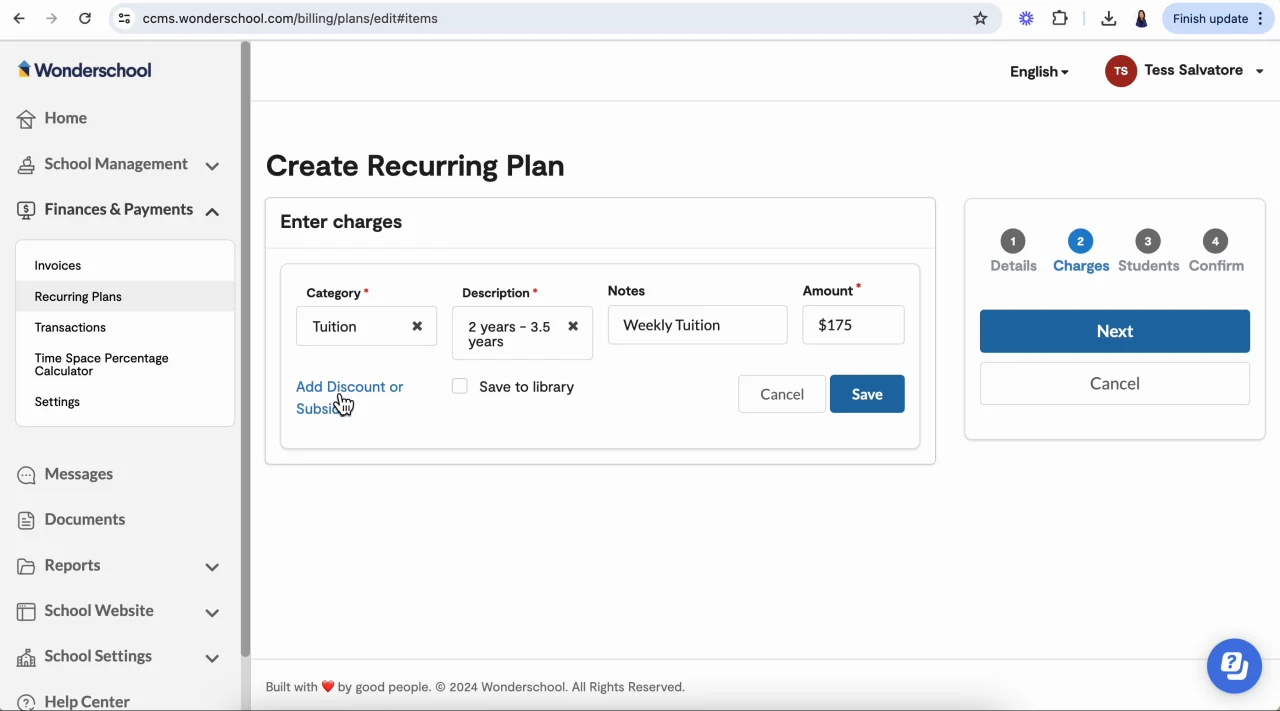
Click Next to move from Details → Charges
Click the pencil icon next to the charge
Select Add Discount or Subsidy
Enter the discount amount or percentage
Click Save, then complete the edit flow
Comments
0 comments
Please sign in to leave a comment.